Partner Enablement & Delivery Readiness
Know which partner people are ready to deliver, before they meet your customer
Onboard your channel partners' people on role-based learning journeys, track them step by step, and formally sign each person off as Delivery Ready, all inside your own LMS.
The partner readiness gap
You can't prove a partner is ready
Most vendors know which partner people finished training. Few can say which of them are fit to deliver.
Completion isn't readiness
A course report shows who finished the content. It doesn't show who you'd trust on a customer project.
Enablement lives in spreadsheets
Partner rosters, roles, due dates and who's ready are tracked by hand, one sheet per partner, and go stale fast.
Partners see too much, or nothing
A shared portal exposes partners to each other's people. Lock it down and partner leads can't manage their own team.
And when a partner delivers badly, the customer blames your brand, not theirs.
How it works
From partner roster to Delivery Ready in five steps
Set it up once per partner. After that, assignment and tracking run on their own, and the only manual decision is the sign-off.
Set up each partner
Turn on partner mode and create one team per partner, such as Partner A, with its partner lead.
Import their people
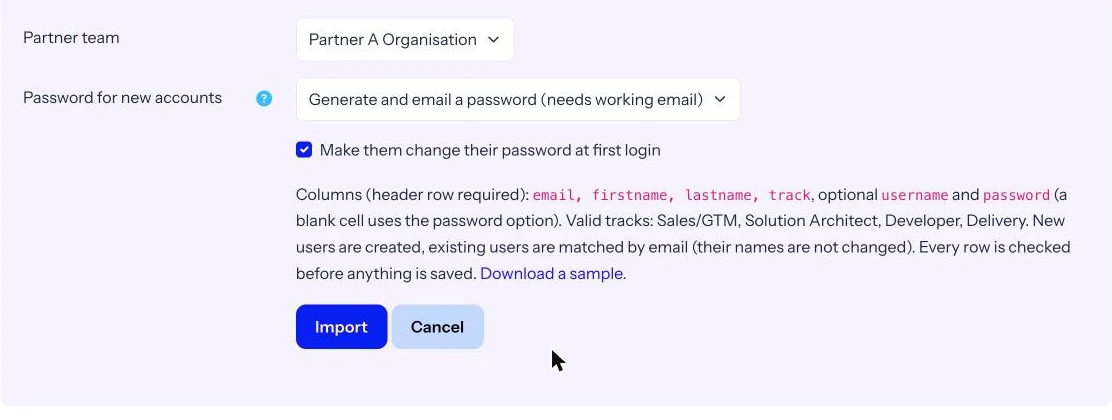
Upload a CSV with email, name and track. Generate and email passwords, set one for the batch, or add a password column. SSO works too.
Build journeys per track
Combine courses, checklists and links. Mark steps required or optional, set due days from the start date. New members are assigned automatically.
Learners follow the journey
A welcome pop-up and My Onboarding page show progress, what's next and due dates. Course steps tick off when the course is completed.
Sign off as Delivery Ready
When all required steps are done, the person is Eligible. The partner lead or admin signs them off, recorded with date and signer.
Inside the product
Proof of readiness, person by person
Every screen below is from the product, shown with a demo partner.
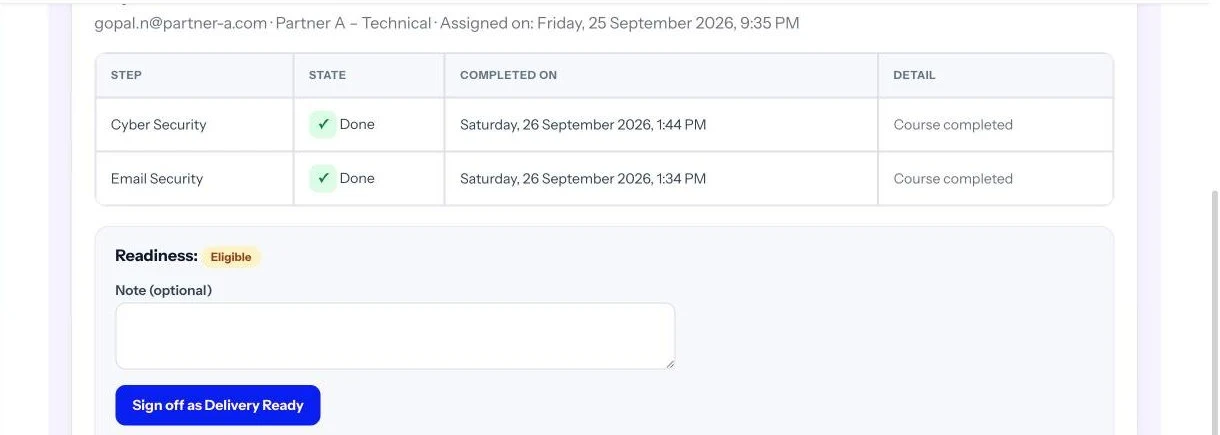
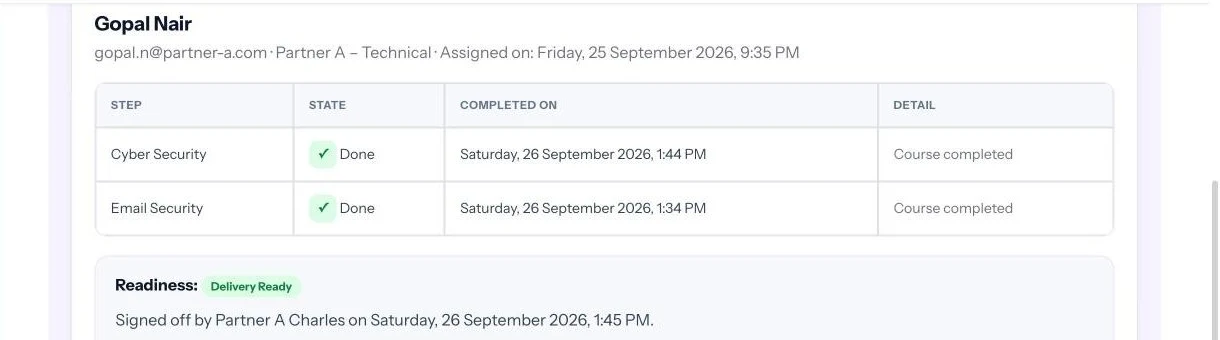
An auditable Delivery Ready decision
When someone completes every required step, they become Eligible and the partner lead is notified. The lead reviews the steps, adds an optional note and signs them off.
- Recorded with the date and who signed
- Partner lead or admin can revoke it, always with a reason
- Every sign-off and revoke kept in the history
See every partner person's readiness at a glance
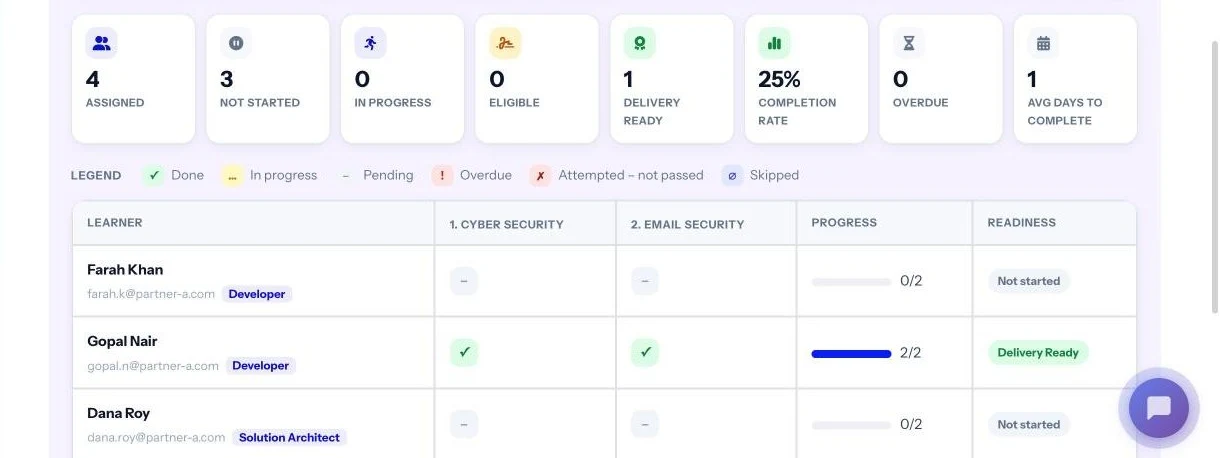
Each journey gets its own report: assigned, not started, in progress, eligible and Delivery Ready counts, then a grid of people against steps with a Readiness column.
- Filter by status, outstanding step, track or readiness
- One card per journey for the partner
- Export the grid as CSV or Excel
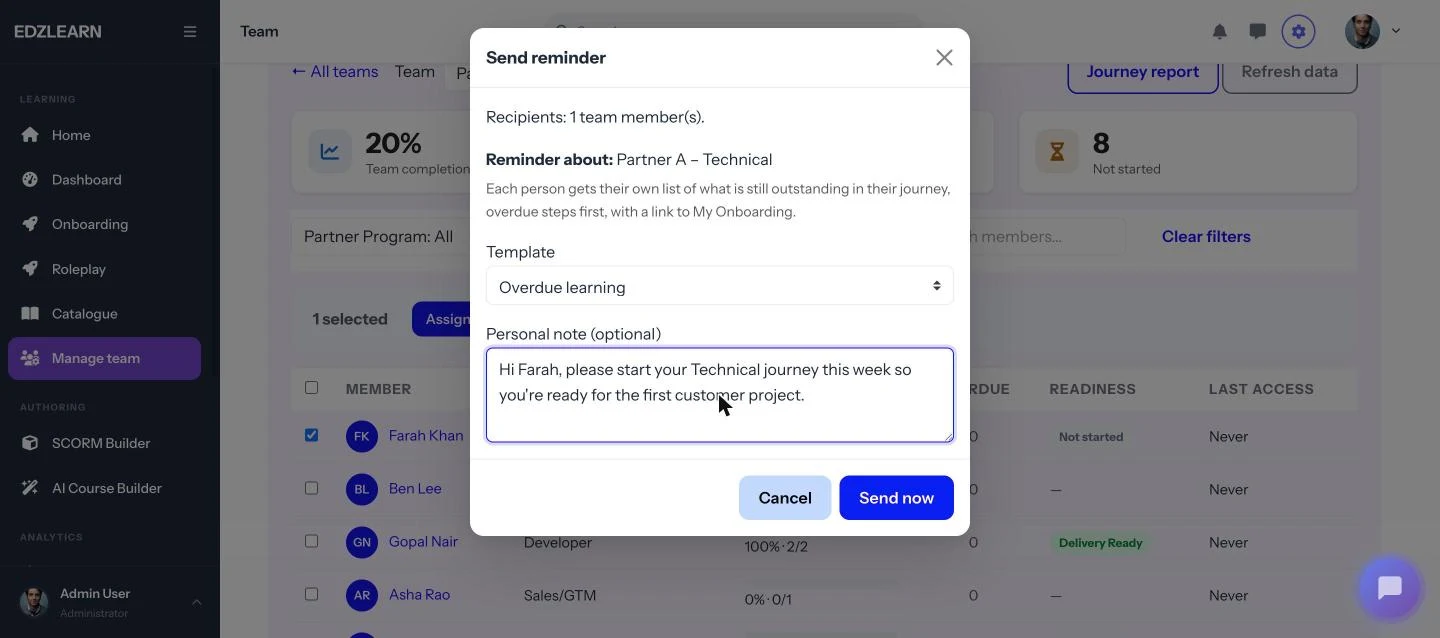
Reminders that say exactly what's missing
Partner leads select people and send a reminder. Each person gets their own list of outstanding steps in their journey, overdue first, with a link to My Onboarding.
- Templates for overdue, due soon or a general nudge
- Optional personal note
- At most one reminder per person per 24 hours
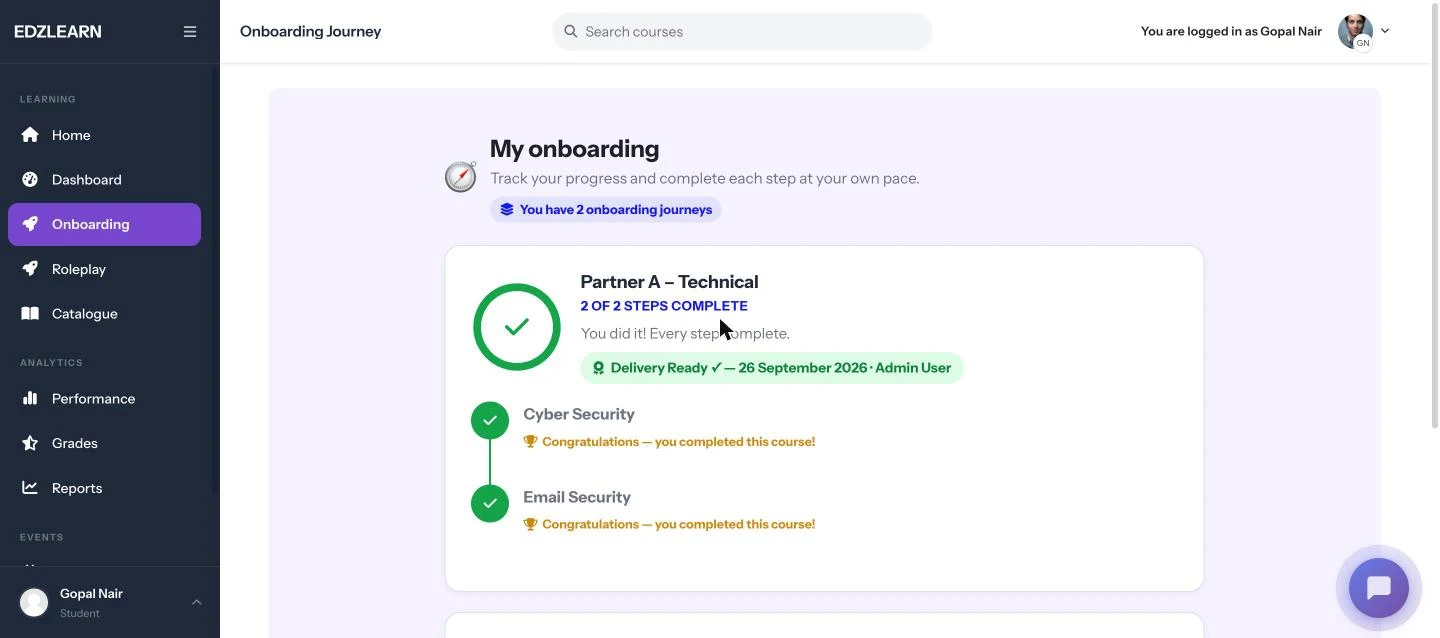
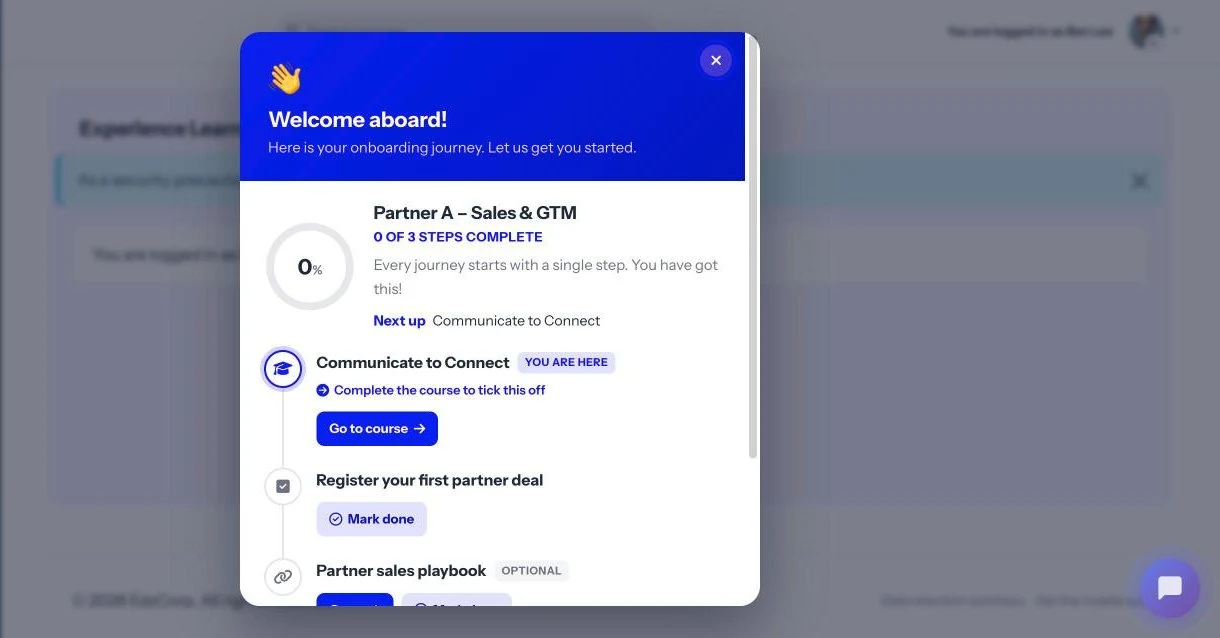
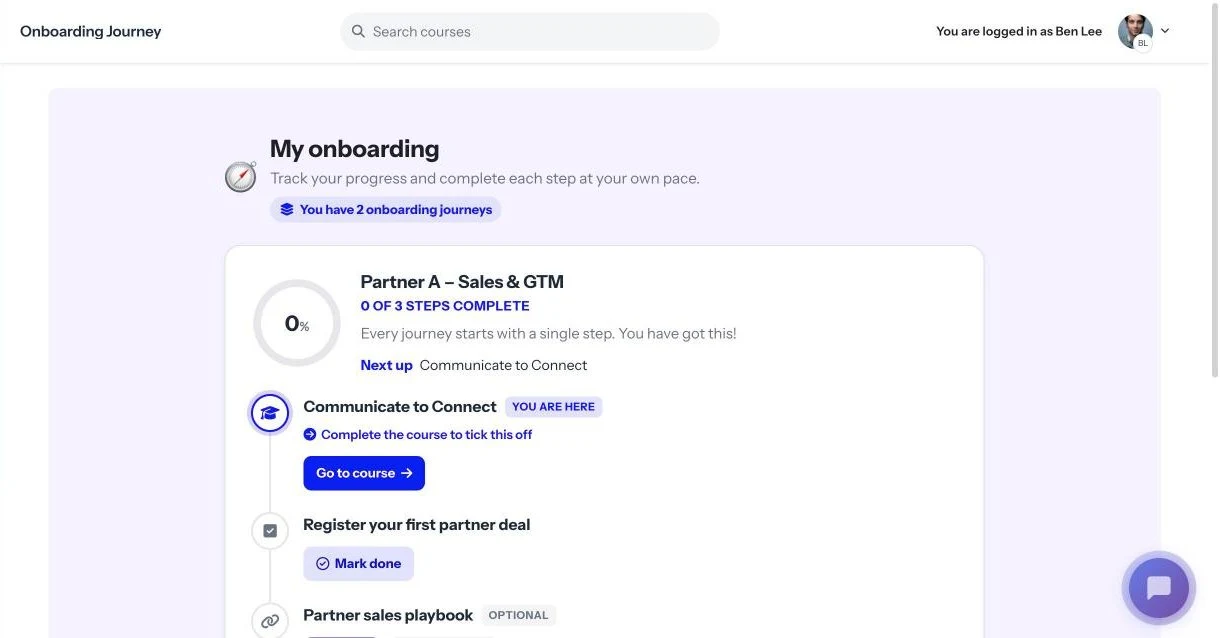
Partner people always know what's next
A welcome pop-up at login and a My Onboarding page show each journey with a progress ring, the next step and due dates. Course steps open with "Go to course"; checklist and link steps use "Mark done".
- Course steps tick themselves off when the course is completed
- Optional steps are shown but never block progress
- A Delivery Ready banner appears once signed off
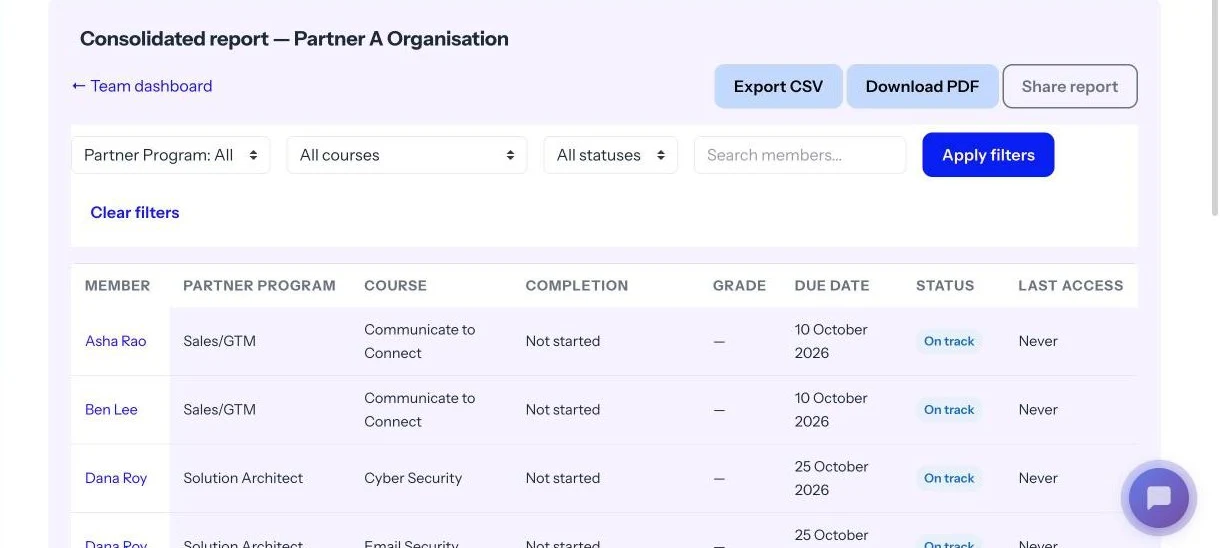
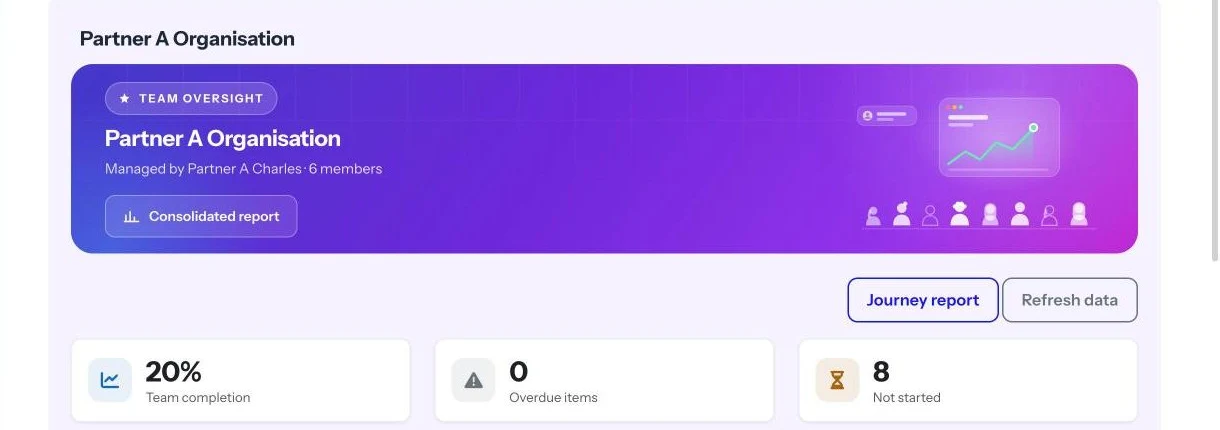
One report for the partner's reviews
Every member against every course with completion, grade, due date and status, paged and filterable, ready to export for a partner business review.
- 10, 25, 50 or 100 rows per page
- Export CSV or download PDF
- Scoped to the partner lead's own people
Roles
Each role sees only what it needs
Your team sets the standard, partner leads run their own people, and learners get a clear path.
Admin
Vendor channel or L&D team
- Turns on partner mode and defines tracks
- Creates one team per partner with its partner lead
- Imports partner people by CSV
- Builds and publishes journeys per partner and track
- Sees every report; can sign off and revoke for any partner
Partner lead
Manager at the partner
- Sees only their own partner's people
- Tracks progress and readiness per journey
- Sends reminders and assigns extra learning
- Signs people off as Delivery Ready, and revokes with a reason if needed
- Exports reports as CSV, Excel or PDF
Learner
Partner sales or technical person
- Gets a welcome pop-up with their journey
- Follows My Onboarding with progress and due dates
- Opens courses and marks checklist steps done
- Sees their Delivery Ready status once signed off
Features
Everything partner enablement needs, in your LMS
No new platform to buy, integrate or teach partners to use.
Role-based journeys
One journey per partner and track, for example Partner A – Technical and Partner A – Sales & GTM.
Delivery Ready sign-off
A named partner lead or admin signs each eligible person off. Date and signer are recorded.
Revoke with a reason
The partner lead or an admin can revoke a sign-off with a reason. Every sign-off and revoke stays in the history.
Strict partner separation
Partner leads see only their own partner's people, never another partner's or your internal teams.
Self-serve partner reports
A report per journey and a consolidated report, paged, with CSV, Excel and PDF export.
Targeted reminders
Each person sees their own outstanding steps, overdue first, with an optional personal note. At most one per 24 hours.
Bulk CSV onboarding
Import partner people with their track. Three password options, or sign in with SSO.
Automatic assignment and tracking
New team members get their journeys automatically, and course steps complete themselves.
Who it's for
Built for companies that sell and deliver through partners
For Heads of Partner and Channel, Partner Enablement Managers, Customer Success and Delivery leaders, and L&D heads.
SaaS vendors
Certify implementation partners' consultants and developers before they run a customer rollout of your product.
Journeys: Solution Architect, Developer, Delivery
OEMs
Onboard resellers' sales and technical staff on each product line, and know which of their people can handle an installation or demo.
Journeys: Sales/GTM, Delivery
IT services firms
Get delivery partners and subcontracted engineers to the same standard as your own team before they join a client programme.
Journeys: Developer, Delivery
FAQ
Questions channel teams ask
Do we need a separate PRM or partner portal?
No. Partner Enablement runs inside your own LMS, so partners learn, get tracked and get signed off in the same place as the rest of your training. It also runs on an existing Moodle.
Can one partner see another partner's people or progress?
No. A partner lead sees only their own partner's people, journeys and reports. They never see another partner's data or your internal teams.
What is the difference between course completion and Delivery Ready?
Completing every required step makes a person Eligible. Delivery Ready is a separate sign-off by the partner lead or an admin, recorded with the date and who signed. The partner lead or an admin can revoke it with a reason, and the history is kept.
How do partner people get their accounts?
Import them by CSV with email, name and track. Passwords can be generated and emailed, set once for the whole batch, or given per person in a password column, in which case nothing is emailed. Single sign-on is also supported.
Can different partners have different journeys?
Yes. Journeys are built per partner and per track, so Partner A's technical journey can differ from Partner B's. A partner can also have several journeys, for example a Technical journey with sign-off and a Sales & GTM journey without.
Want the thinking behind it? Read Course completion isn't partner readiness.
Stop guessing which partners are ready
See a partner journey end to end: CSV import, journeys by track, the learner view, the partner lead's reports and a Delivery Ready sign-off.