Services · Mobile Learning

Your academy. In their pocket.

A native iOS and Android learning app carrying your name, your logo and your colours — published to both stores under your brand, not ours. Push-enabled, gamified, and running on the same EdzLMS your admins already use.

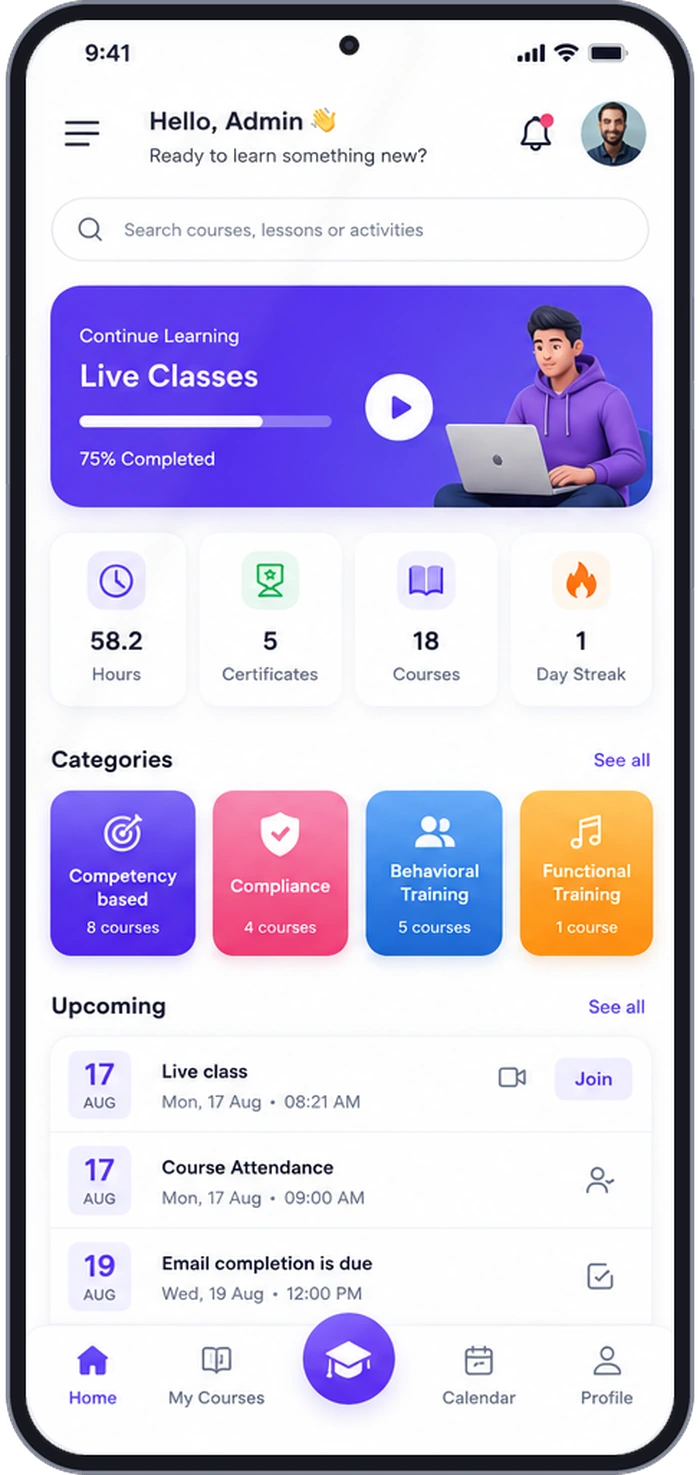
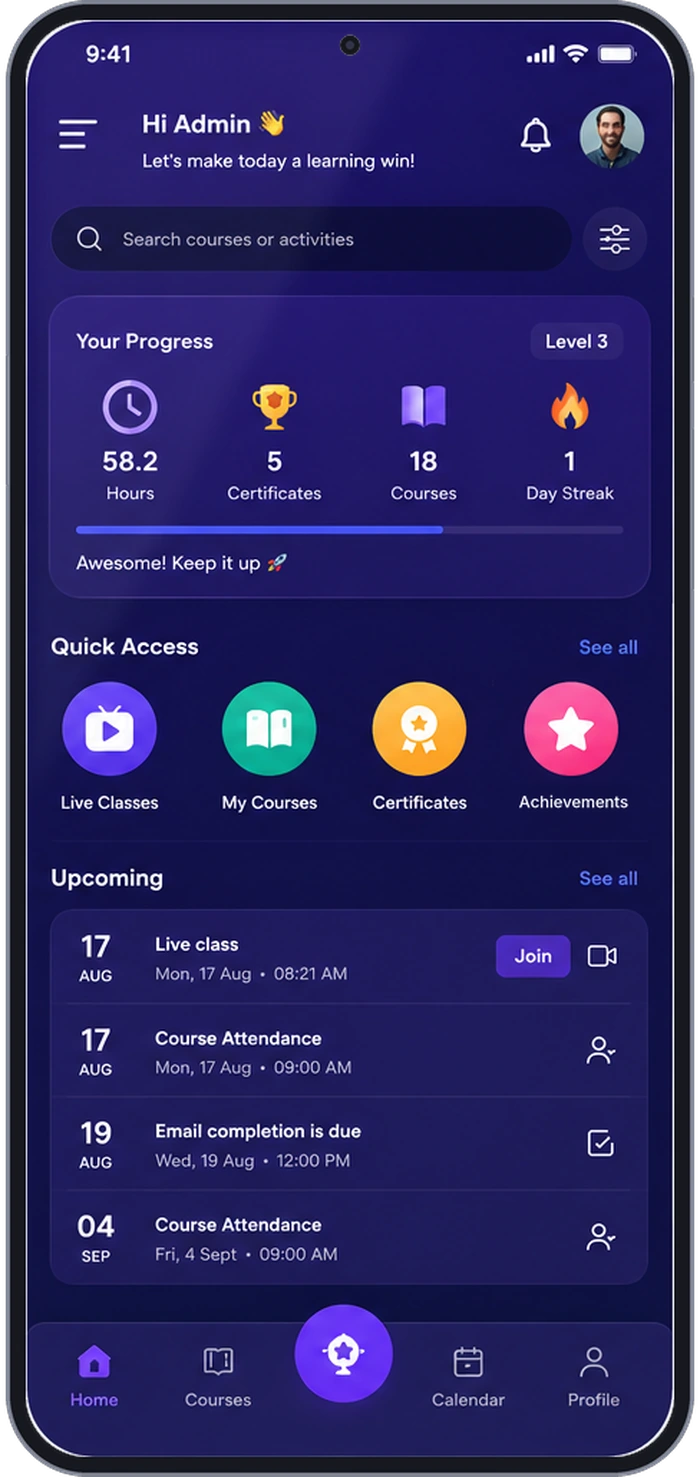
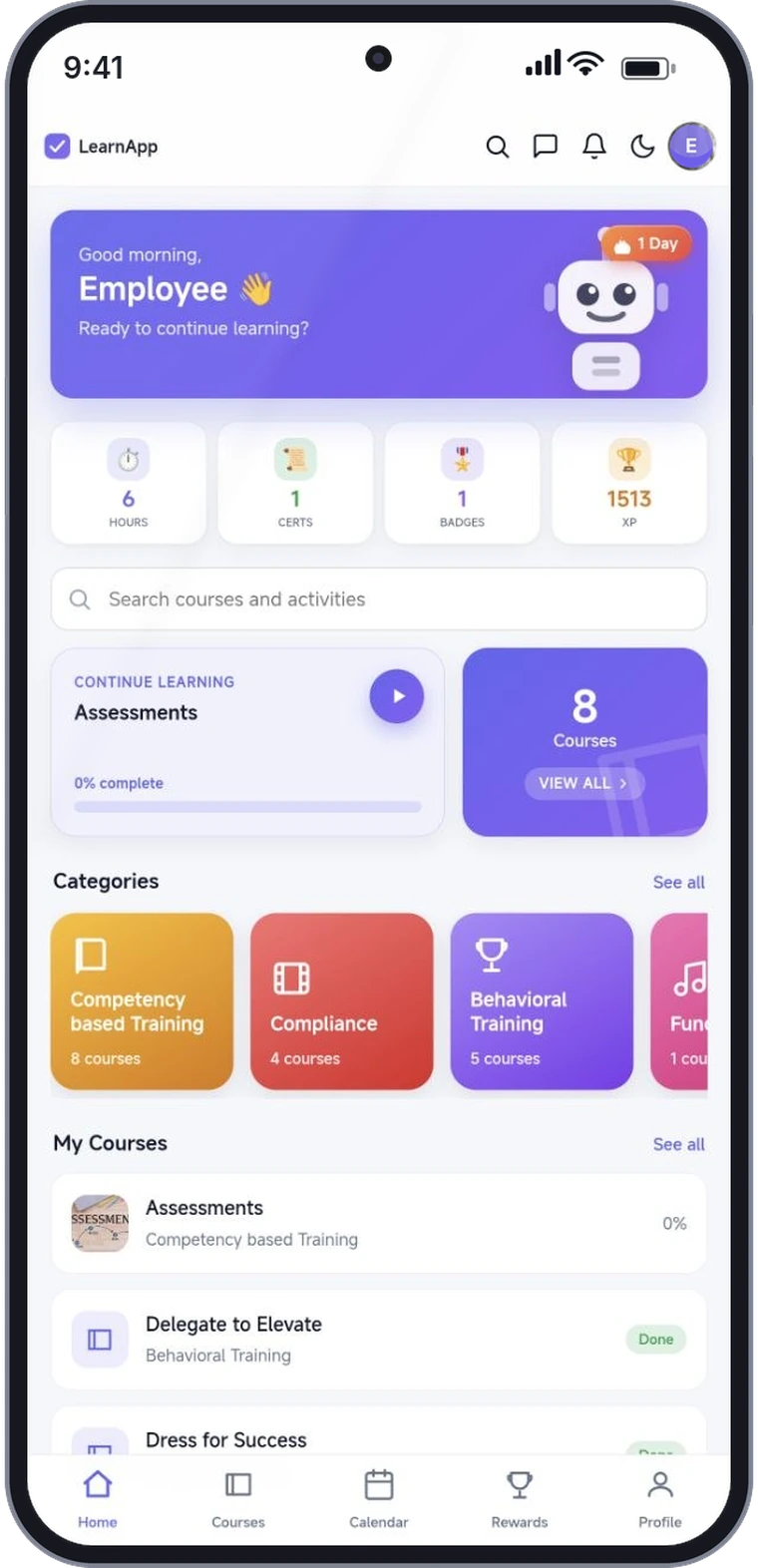
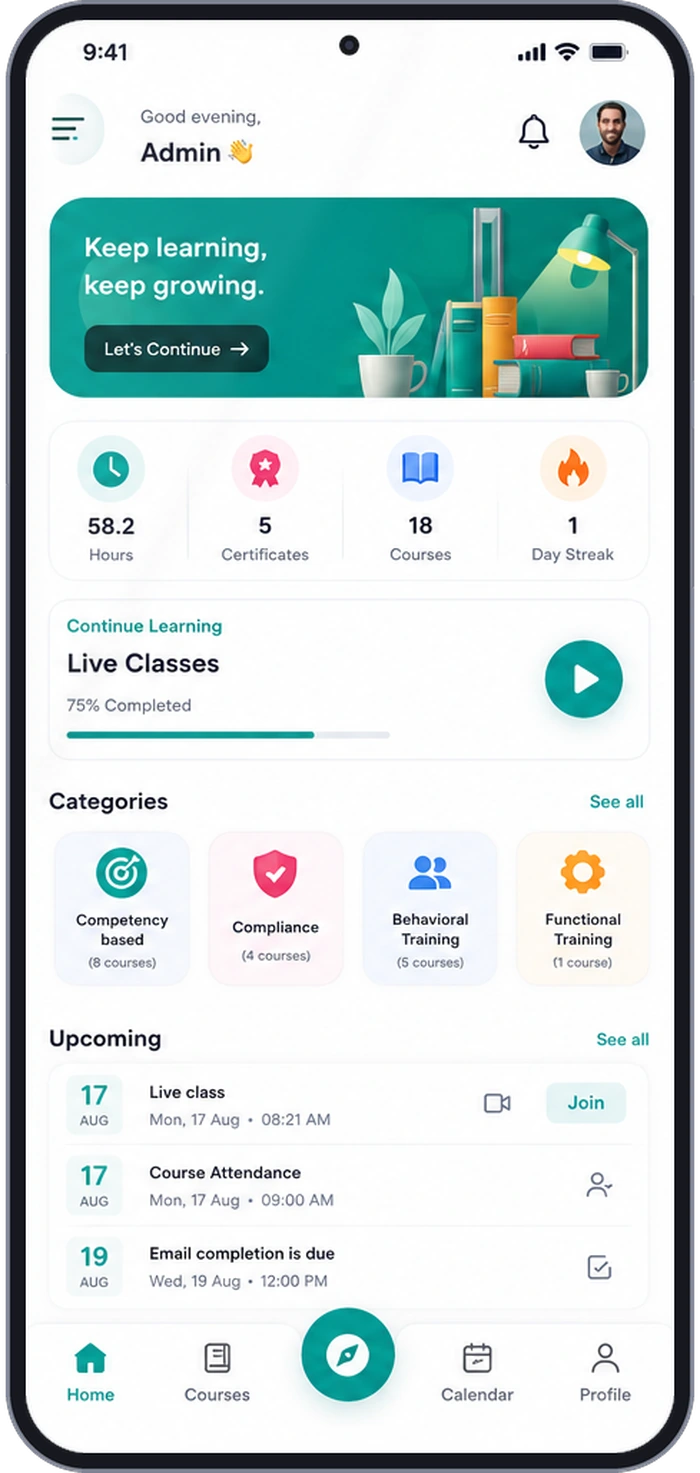
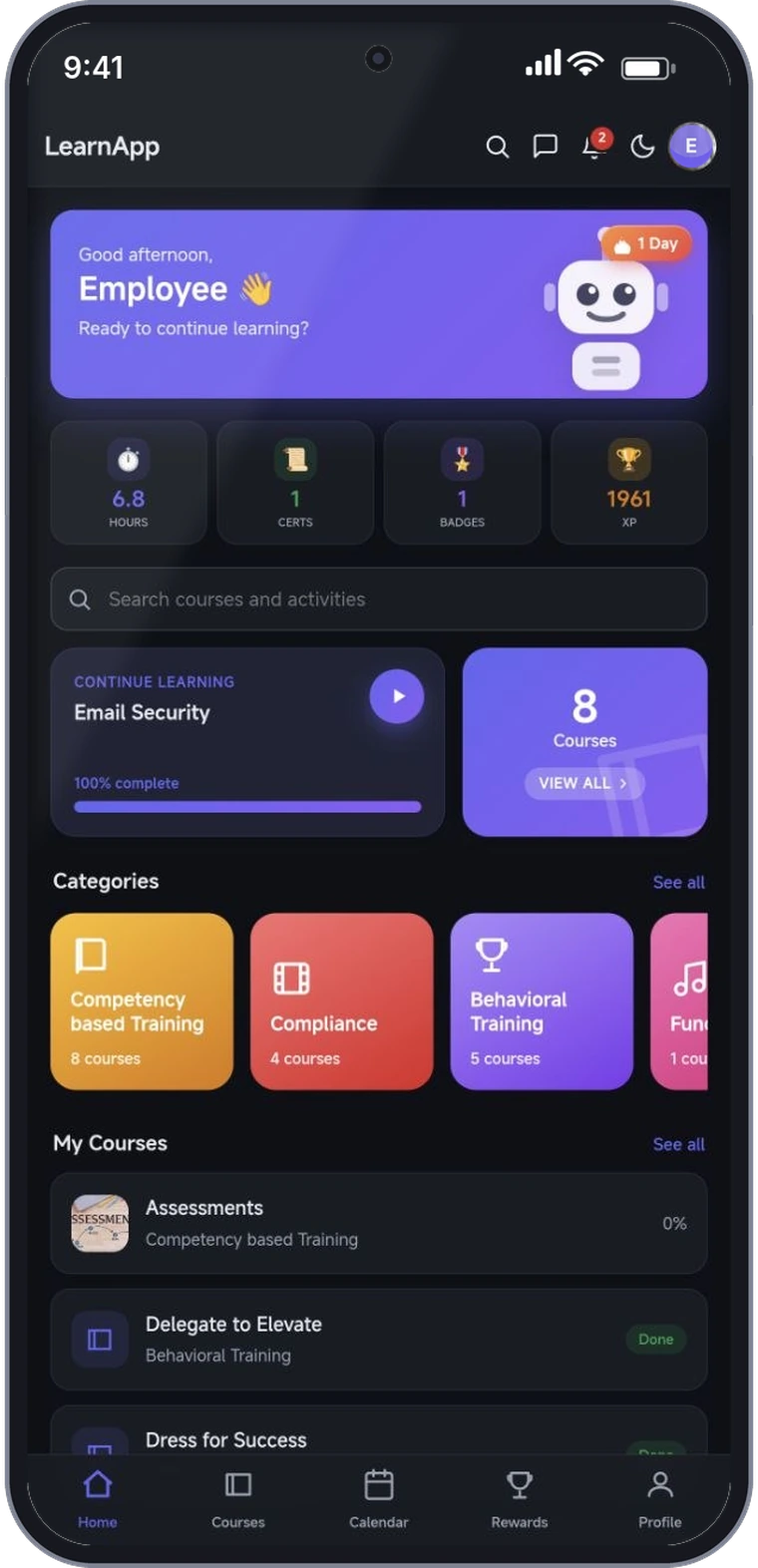
The three screens here are the same home screen, themed for three different clients.
iOS + Android
Native builds, both stores
100%
Your brand, end to end
Push
Reminders that reach the phone
4–6 wks
Brief to store-live

Your desk-based LMS is invisible to most of your workforce. That isn’t a training problem.

Field engineers, retail floor staff, delivery riders, nurses mid-shift, sales reps between meetings — none of them open a laptop to finish a compliance module. If learning isn’t on the phone already in their hand, it doesn’t happen. Your completion report then measures who had a desk, not who actually learned.

Browser-only LMS
Learners hunt for a URL and re-login every single time
Progress sits in a report the learner never opens
No push channel — deadline reminders die in a crowded inbox
Your brand sits inside a vendor’s app, next to a vendor’s logo
A desktop layout squeezed onto a phone, pinched and scrolled sideways
EdzLMS Mobile Learning
One tap from the home screen; the session simply stays signed in
Hours, streak, certificates and XP on the home screen, every time
Push notifications for deadlines, new courses and streak nudges
Your icon on their phone, your name on both store listings
Designed for a thumb — and it resumes exactly where they stopped

A tour of the app your learners will actually open

These are real screens from a live EdzLMS mobile deployment. Every element you can see — the app name, the accent colour, the tab labels, the badge artwork, the categories — is configured for your organisation before it ever reaches a store.
Mobile learning app home screen with streak, XP, continue learning and course categories
01 · Home
Straight back to work
Streak, hours, certificates and XP up top. “Continue learning” resumes the exact module they left, so the first tap is always productive.
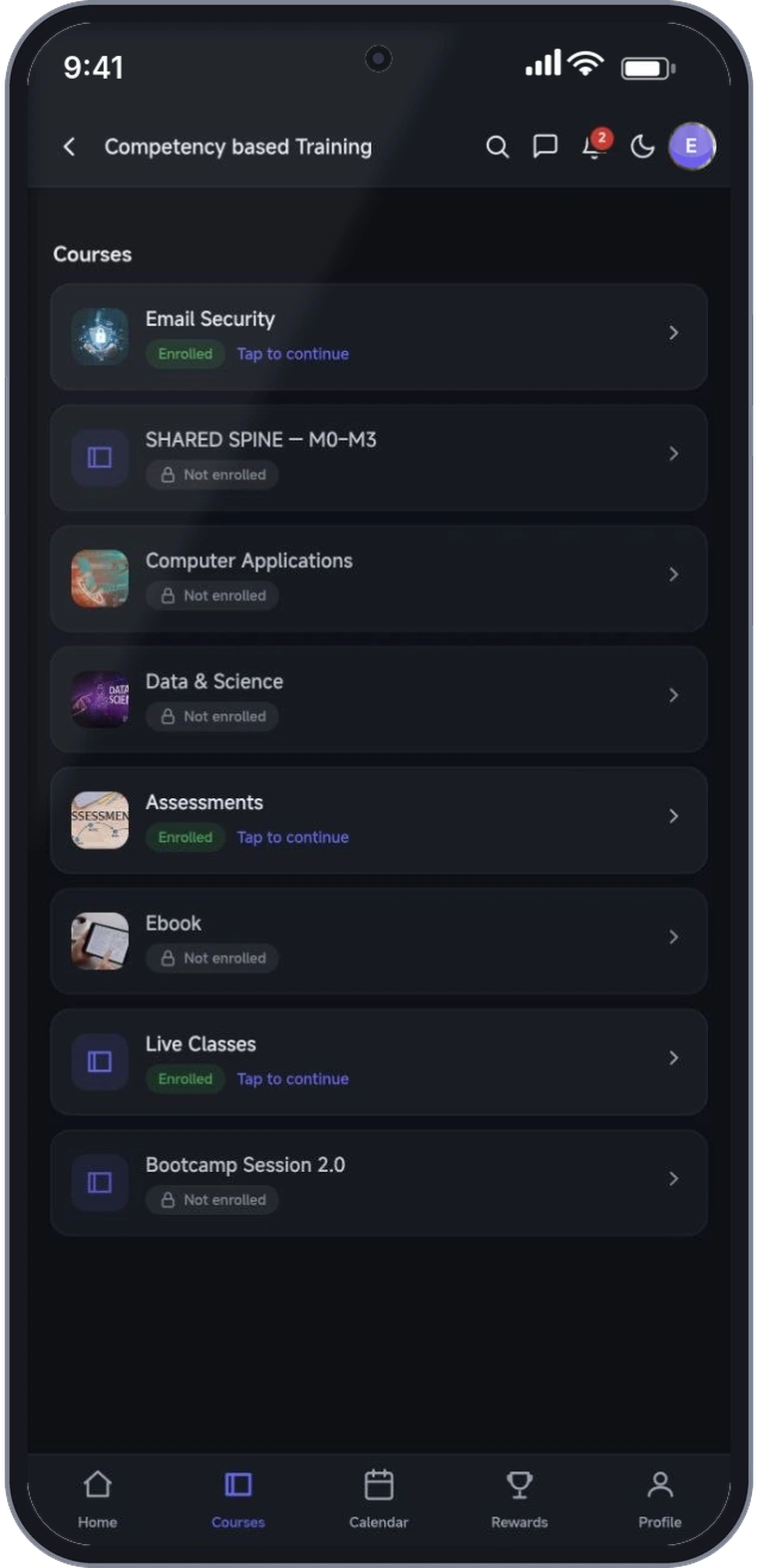
Mobile learning app course catalogue showing enrolled and locked courses
02 · Catalogue
Every course, one thumb-scroll
Courses grouped by category with clear enrolled and locked states. Self-enrolment, manager assignment and auto-enrolment rules all respected.
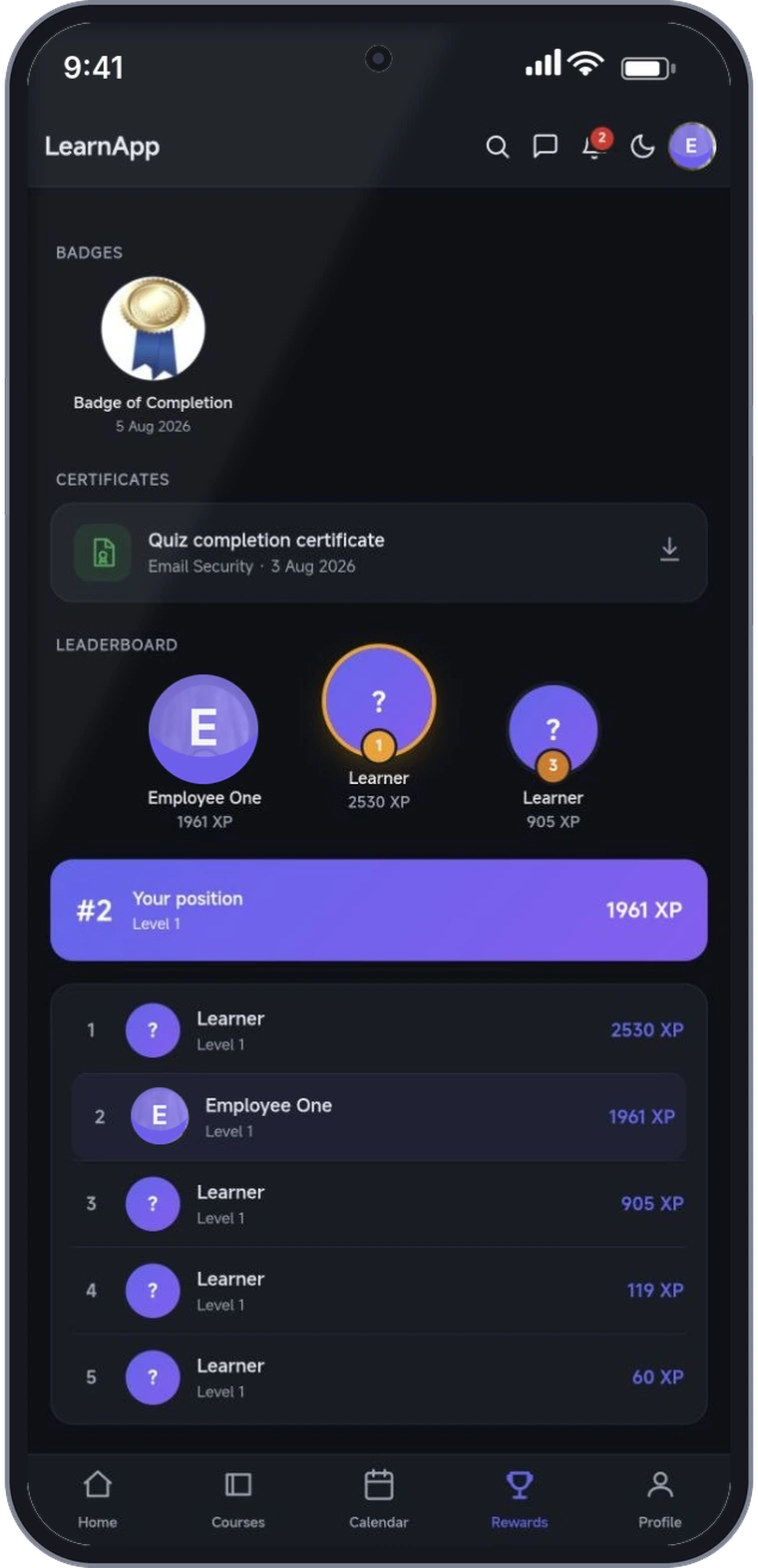
Mobile learning app rewards screen with badges, downloadable certificates and XP leaderboard
03 · Rewards
Reasons to come back tomorrow
Badges, downloadable certificates, XP levels and a live leaderboard. Optional per-organisation — switch the whole layer off if it doesn’t suit your culture.
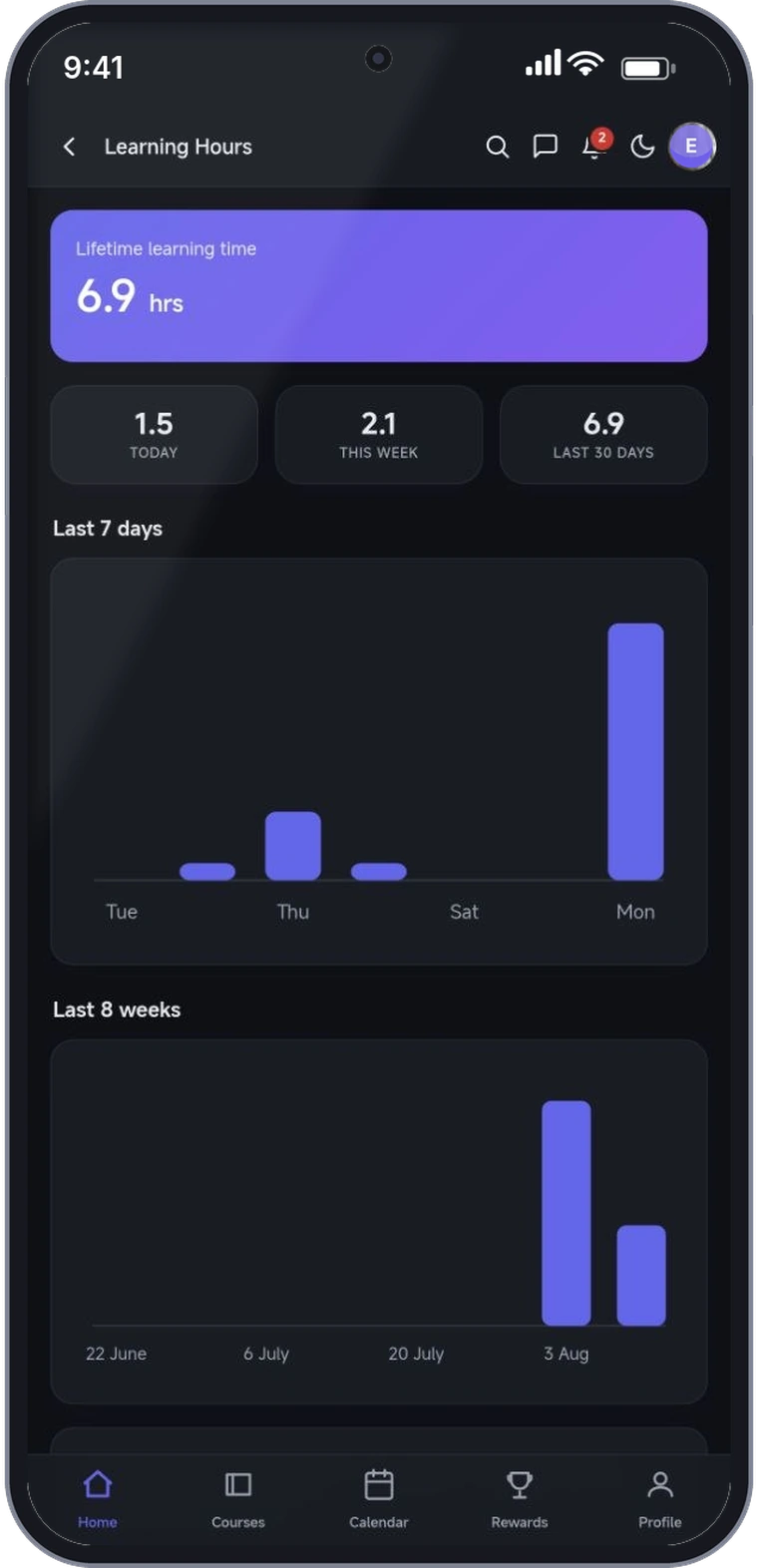
Mobile learning app learning hours dashboard with 7-day and 8-week activity charts
04 · Learning hours
Effort you can actually evidence
Lifetime, today, this week and 30-day learning time per learner, with 7-day and 8-week trends. The same numbers roll up to your admin reports.
White-label learning app home screen in light mode The same learning app home screen in dark mode

Ships with light and dark. Follows the phone.

Both themes are designed, not auto-generated — contrast, chart colours, badge artwork and empty states are checked in each one. The app reads the device setting on launch, and learners can override it from the header.

Night-shift friendly
Warehouse, hospital and support teams training at 2am aren’t hit with a white screen.
Accessibility checked in both
Text and interface contrast tested against WCAG AA in light and dark, including charts and status chips.
Your palette, both ways
We derive a dark-mode variant of your brand colour that still passes contrast — not just an inverted screen.

Eight things every build includes

Not an add-on module and not a wrapped website. A properly built mobile client, configured for your organisation and maintained after launch.

01
Native iOS & Android
Real store builds — not a bookmark to a mobile site. Native navigation, gestures, transitions and hardware-accelerated media playback on both platforms, from one maintained codebase.
02
Complete white-label
App name, icon, splash screen, in-app colours, typography, store listing copy and screenshots — all yours. Published under your own Apple and Google developer accounts, so you own the listing.
03
Calendar & live sessions
Live classes, attendance windows and completion deadlines appear in the app calendar and on the home screen. A learner opens the app and immediately sees what is due today, with a join button where one applies.
04
Push notifications
Compliance deadline reminders, new-course alerts, manager nudges and streak prompts — segmented by group, role or location, and scheduled from the admin panel without a developer.
05
Gamification that fits you
XP, levels, badges, streaks and a live leaderboard — visible in the screens above. Every element is switchable per organisation, because a leaderboard suits a sales floor and not a hospital ward.
06
Certificates in the pocket
Completion certificates generated with your branding, downloadable as PDF and shareable straight from the phone — useful the moment an auditor or a client asks for proof on site.
07
Learning-hours analytics
Genuine time-on-task per learner — today, this week, last 30 days, with 7-day and 8-week trends. Learners see their own; managers and L&D see the roll-up in the same LMS reports.
08
Preferences learners control
Password changes, email notification toggles, course announcements, learning reminders and theme — all handled inside the app. Far fewer “can someone reset this for me” tickets landing in your L&D inbox.

Brief to store-live in four to six weeks

If your content already sits in an LMS, most of the work is branding, configuration and store review — not building from zero. Here is the actual sequence.

1
Brand & configure
Week 1. Logo, palette, app name, icon, splash, tab labels and which features are on. You approve a clickable preview before anything is built.
2
Build & QA
Weeks 2–3. Builds tested on real iOS and Android devices across screen sizes, push wired up and verified, and a TestFlight / internal-track release for your team to try.
3
Store submission
Week 4. Listing copy, screenshots, privacy declarations and data-safety forms prepared and submitted. We handle review responses and resubmissions.
4
Live & maintained
Ongoing. OS-version updates, store policy changes, certificate renewals and new EdzLMS features shipped to your app without you managing a release cycle.

Where a learning app changes the numbers

Mobile is not a nicer way to do the same training. For some teams it is the only way training reaches them at all.

Deskless & frontline
Retail, logistics, manufacturing, hospitality, field service. No shared terminal, no queue, no “I’ll do it when I’m back at base”.
Corporate L&D at scale
Onboarding, sales enablement and leadership programmes that need daily contact, not a quarterly classroom day.
Regulated & compliance-heavy
BFSI, pharma, healthcare and safety training where a deadline is a legal date and evidence has to be produced on demand.
Academies & course sellers
Training businesses, universities and content publishers who want their own app on the store rather than renting shelf space in someone else’s.

Questions we get asked first

Q. Is this our app, or an EdzLMS app with our logo pasted on?
Yours. The store listing sits under your Apple Developer and Google Play accounts, with your name as the publisher. We build, submit and maintain it on your behalf — but if you ever move on, the listing, the reviews and the install base stay with you.
Q. Does it work with our existing Moodle or LMS, or only with EdzLMS?
It ships tuned for EdzLMS, and it connects to standard Moodle web services too. For other platforms we scope the integration first — if the LMS exposes a usable API for courses, enrolments, SCORM and completion, we can almost always connect it.
Q. How do learners get the app and sign in?
They install it from the App Store or Play Store like any other app, then sign in with the credentials they already use for your LMS — there is no second account to create or administer. For rollouts we usually add a direct store link to your onboarding email so a new joiner is inside the app on day one.
Q. Can we turn the gamification off?
Yes, per organisation and per element. Some clients run XP, badges and the leaderboard in full; others keep certificates and streaks but hide public rankings entirely. It is a configuration setting, not a rebuild.
Q. Who handles App Store and Play Store rejections?
We do. Listing copy, screenshots, privacy policy, data-safety declarations and review correspondence are part of the engagement, including resubmissions. Store review is the one part of the timeline nobody fully controls, which is why we quote four to six weeks rather than four.
Q. What happens after launch?
Ongoing maintenance is included: annual iOS and Android OS updates, store policy changes, signing-certificate renewals and new EdzLMS features pushed to your app. You get the release notes; you don’t have to run the release.

See the app running with your logo on it.

Send us your logo and brand colours and we’ll walk you through a live build in a 30-minute call — push reminders, certificates, the gamification layer and the analytics your L&D team will be asked for.

Book a demo See the LMS platform